
Which Terminal Is Qanot Sharq at Gatwick Airport? (LGW)
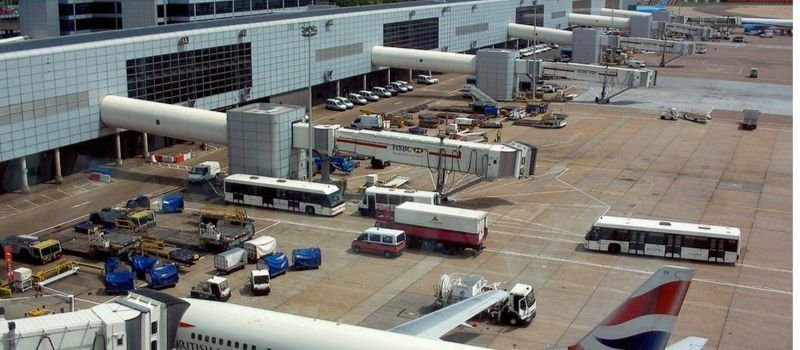
Qanot Sharq operates from the North Terminal at London Gatwick Airport LGW. Passengers flying with the airline should head to the North Terminal and check their flight details before travelling. The terminal provides access to check-in facilities, baggage services, security screening, shops, restaurants, and transport connections.
Qanot Sharq operates flights connecting London Gatwick with Tashkent, the capital of Uzbekistan. As flight schedules and airport arrangements can change, passengers should confirm the terminal and departure details for their specific journey before leaving home.
Qanot Sharq at Gatwick: Essential Airport Details
| Airport Information | Details |
|---|---|
| Airline Name | Qanot Sharq |
| Airport Name | London Gatwick Airport |
| Airport Code | LGW |
| Airline IATA Code | HH |
| Departure Terminal | North Terminal |
| Arrival Terminal | North Terminal, subject to flight confirmation |
| Main Route | London Gatwick – Tashkent |
| Check-In Location | North Terminal departure area; check airport screens |
| Baggage Allowance | Depends on ticket and fare conditions |
| Flight Status | Check current airport and airline updates |
| Passenger Services | Check-in, security, shops, restaurants, and waiting areas |
Check-In and Baggage Drop for Qanot Sharq
Passengers should arrive at the North Terminal and check the airport information screens for their flight’s check-in desk. Review Qanot Sharq’s check-in instructions in advance to understand when check-in opens and when baggage must be dropped off.
If you have checked luggage, follow the airline’s instructions for the correct baggage-drop point. Keep your passport, booking details, and other required travel documents ready. Allow enough time for check-in, security screening, and reaching the departure gate.
Check-In and Departure Checklist
| Travel Requirement | What to Do |
|---|---|
| Terminal Confirmation | Verify the North Terminal for your flight |
| Check-In | Follow Qanot Sharq’s current check-in instructions |
| Boarding Pass | Keep your boarding pass accessible |
| Checked Baggage | Confirm baggage allowance and drop-off deadlines |
| Cabin Baggage | Check permitted dimensions, weight, and restricted items |
| Travel Documents | Prepare your passport and any required entry documents |
| Boarding Gate | Check the latest airport screens |
| Special Assistance | Arrange support in advance if needed |
Departures: Getting Ready to Fly
After checking in, follow the signs to security screening in the North Terminal. Keep your boarding pass and travel documents available and allow time for queues, especially during busy travel periods.
Once you pass through security, check the departure screens for your gate and boarding time. Gates and schedules can change, so continue monitoring airport announcements and any updates from Qanot Sharq. Arrive at the gate within the boarding time specified for your flight.
Arrivals: What to Expect at Gatwick
Passengers arriving on Qanot Sharq flights should follow the airport signs towards passport control, baggage reclaim, and the arrivals exit, where applicable. The process depends on the flight’s origin and the relevant border-control requirements.
If you have checked baggage, use the information screens to identify your flight’s baggage carousel. If your bag is delayed, missing, or damaged, contact the relevant airline baggage service before leaving the airport.
Friends and family meeting arriving passengers should check the latest flight status before travelling to Gatwick, as arrival times may change.
Baggage Allowance and Travel Rules
Qanot Sharq baggage allowances depend on your ticket, fare conditions, and itinerary. Before packing, check the permitted number of cabin and checked bags, along with any size and weight restrictions.
Review airport security rules for liquids, electronic equipment, and other restricted items. Keep essential travel documents and valuables in your cabin baggage where permitted, and check whether extra checked baggage must be purchased before arriving at the airport.
Flights Between Gatwick and Tashkent
Qanot Sharq has introduced direct services between London Gatwick and Tashkent, giving travellers a connection between the United Kingdom and Uzbekistan. Flight frequency and operating dates can vary, so check the current schedule before making travel arrangements.
Before departure, confirm your flight number, departure time, baggage conditions, and any entry requirements for Uzbekistan. If your itinerary includes another flight, check whether the journey is booked on one ticket and whether your baggage will be transferred automatically.
How to Reach Gatwick North Terminal
London Gatwick Airport can be reached by train, bus, coach, taxi, private hire, or car. The airport railway station is located at the South Terminal, with a free inter-terminal shuttle connecting passengers to the North Terminal. If travelling by road, check the current drop-off and parking arrangements and allow extra time for traffic.
Shops, Dining, and Waiting Areas
Gatwick’s North Terminal has a range of shops, food and drink outlets, waiting areas, and other services for passengers. Opening hours and availability may vary, so check the facilities you need before travelling.
Passengers who require mobility assistance should arrange it in advance through the airline or airport service. Airport information screens are also useful for checking flight updates, check-in desks, and departure gates throughout the journey.
Tips for a Smooth Qanot Sharq Journey
- Confirm your terminal: Check that your flight is using the North Terminal before leaving home.
- Review check-in instructions: Follow the requirements and deadlines for your booking.
- Check baggage limits: Verify cabin and checked baggage allowances before packing.
- Prepare travel documents: Keep your passport and boarding pass ready.
- Allow enough time: Consider transport, check-in, baggage drop, and security.
- Monitor flight updates: Check the latest departure or arrival information.
- Plan your transport: Remember that the airport railway station is at the South Terminal, connected to the North Terminal by a free shuttle.
Final Thoughts
Qanot Sharq passengers travelling through London Gatwick Airport should use the North Terminal for their flight, subject to confirmation of the latest booking and airport information. Check your flight status, baggage allowance, and check-in deadlines before setting off.
Preparing your documents and transport in advance can help make the airport process easier, whether you are departing for Tashkent or meeting an arriving passenger.
Frequently Asked Questions
Qanot Sharq is listed at Gatwick Airport’s North Terminal. Confirm the terminal for your specific flight before travelling.
Qanot Sharq’s IATA airline code is HH.
Go to the North Terminal departure area and check the airport screens for your flight’s check-in desk and baggage-drop instructions.
Qanot Sharq has operated direct flights between London Gatwick and Tashkent. Check the current timetable to confirm your travel date.